crop tool :
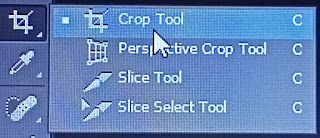
1.From the toolbar, select the Crop Tool . 2. Crop borders display on the edges of the image . 3.Drag the crop handles outwards to enlarge the canvas. 4. Use the Alt/Option modifier key to enlarge from all sides. 5.Press Enter (Windows) or Return (Mac OS) to confirm the action. 6.crop tool easy to cut image in unwanted image.